
Improved floor plans
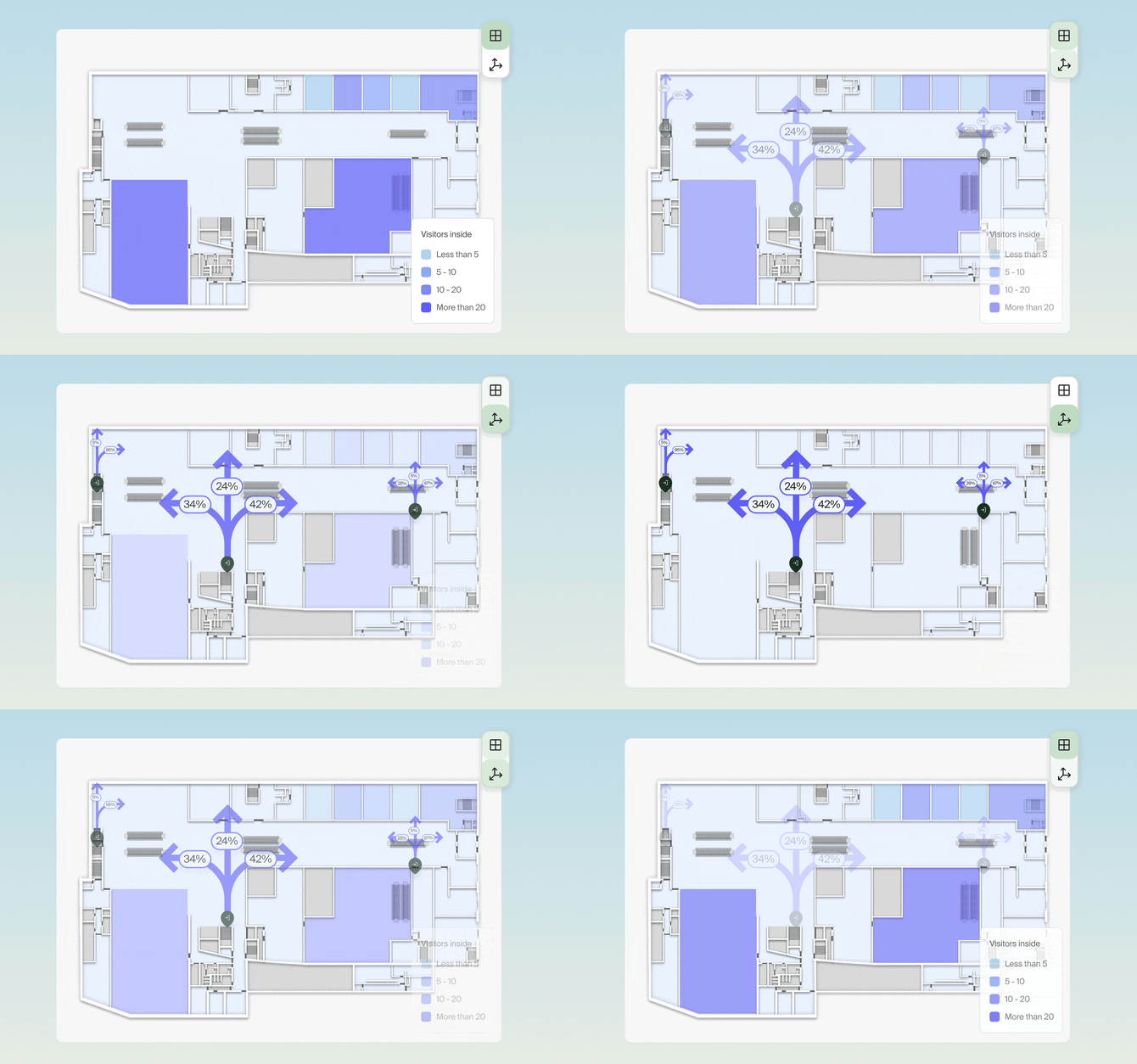
We're introducing two new modes of visualizing data on floor plans:
- Visitor direction: Optimize your space and product placement based on visitor's behaviour by visualizing direction which visitors take at different crossing points.
- Choropleth map: Better understand relationships between different areas of your space with a colorful visualization.
Ranking chart
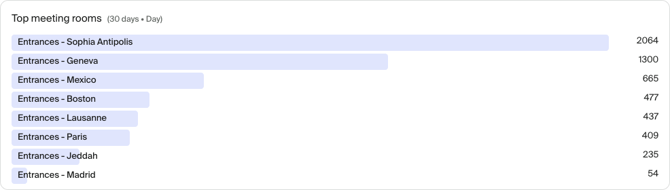
Ranking chart helps you identify comparing most and least used areas of your space over time or in real-time. Use it to rank most used meeting rooms or identify areas of slow queing times.
Report improvements
- Customizable default report: default report for a site can be now edited.
-
Table sorting: Table headers in pivot tables are clickable, letting you sort the table by that column. Default sorting order can be defined per table as well.
- Daily granularity: You can now select daily granularity when using one-day time frame, allowing you to see a summary of data for the current day.
-
Breakdown and filter by device: In Reports, you can now use Device as a filter and as a breakdown dimension. Useful for zones with multiple sensors or looking at details in real-time.
-
Pie chart: You can now add multiple metrics to a pie chart, using advanced grouping and filtering options.
New sensors
- Milesight VS125 & VS126: AI people-counting sensors designed for large spaces and high ceilings, enabling accuracy of up to 99.8%, even in complex environments.
Bug fixes & improvements
- Counting mats: You can now configure number of connected mats and their orientation from Devices menu.
-
Preferred language: Fixed an issue where the preferred language could not be selected in Settings.
- Various bug fixes and performance improvements