
What's new
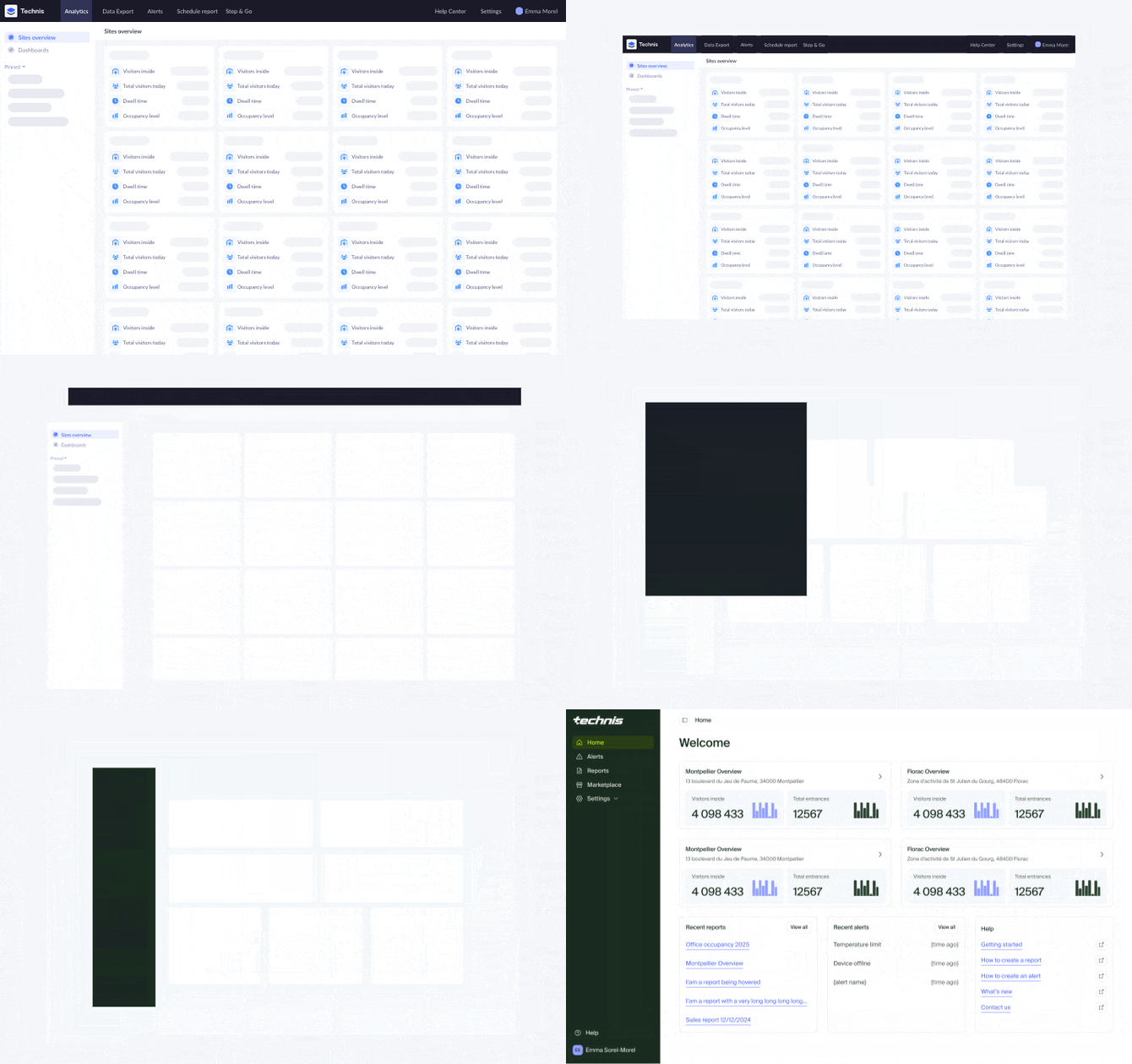
The new version of the Technis platform has been rebuilt from the ground up to give you more control and flexibility over your data.
- Explore data: Get a quick overview of what’s going on, or explore your data with our brand new report builder.
- Act in real-time: React to changes with more powerful alerts that can be triggered on any metric change or device issue.
- Enterprise-ready: Manage your sites and devices with ease, and share access with your team on your own.
You can login to the new version of the Technis platform at app.technis.com using your existing login credentials, or download our new mobile app.
Improved usability and flexibility of the new platform remains backed by the unparalleled data accuracy and reliability you trust.
Your historical data, devices and access to our dedicated support remain seamlessly available.
What has changed
Reports
| Version 2 | Version 3 |
 |
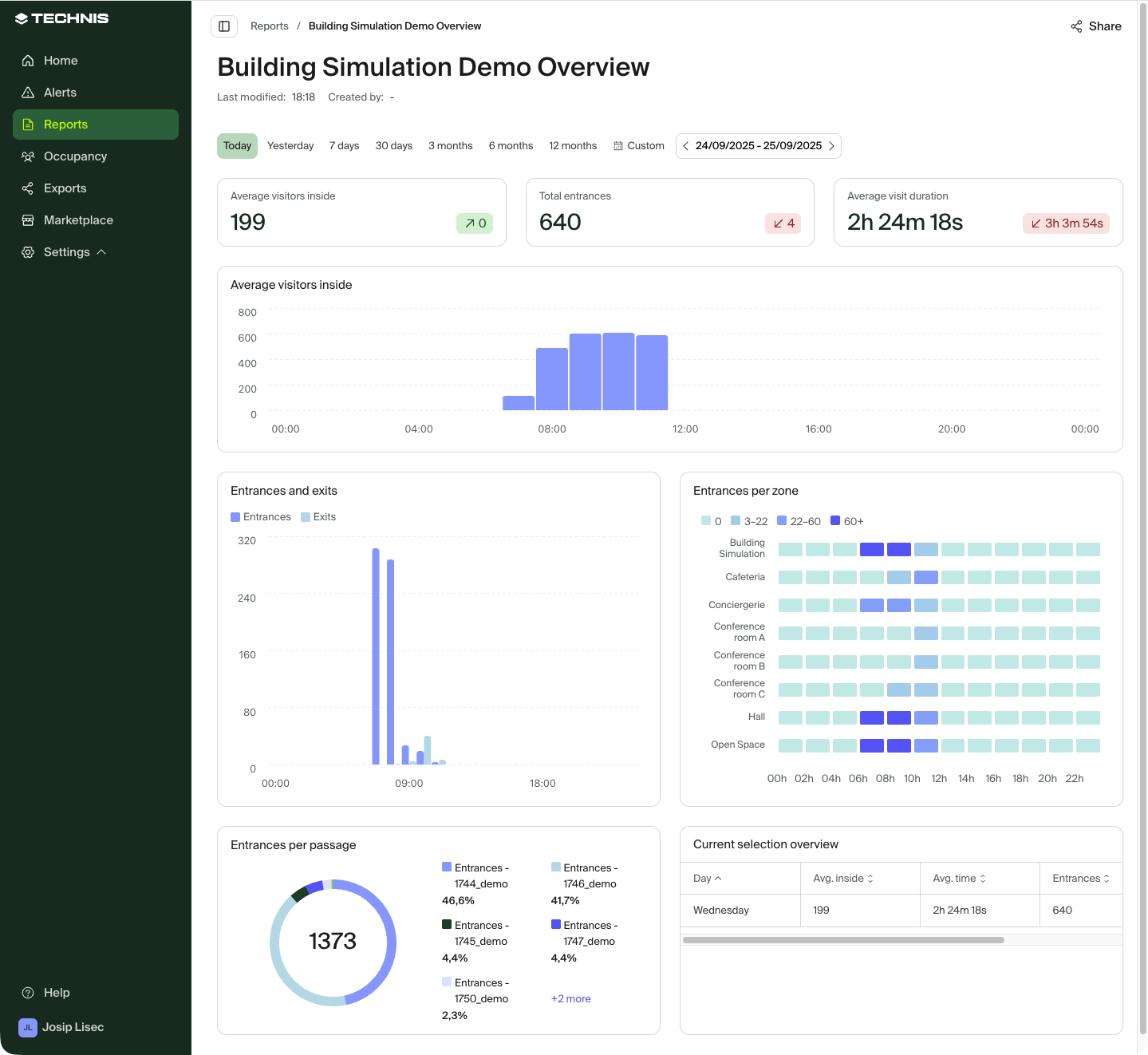 |
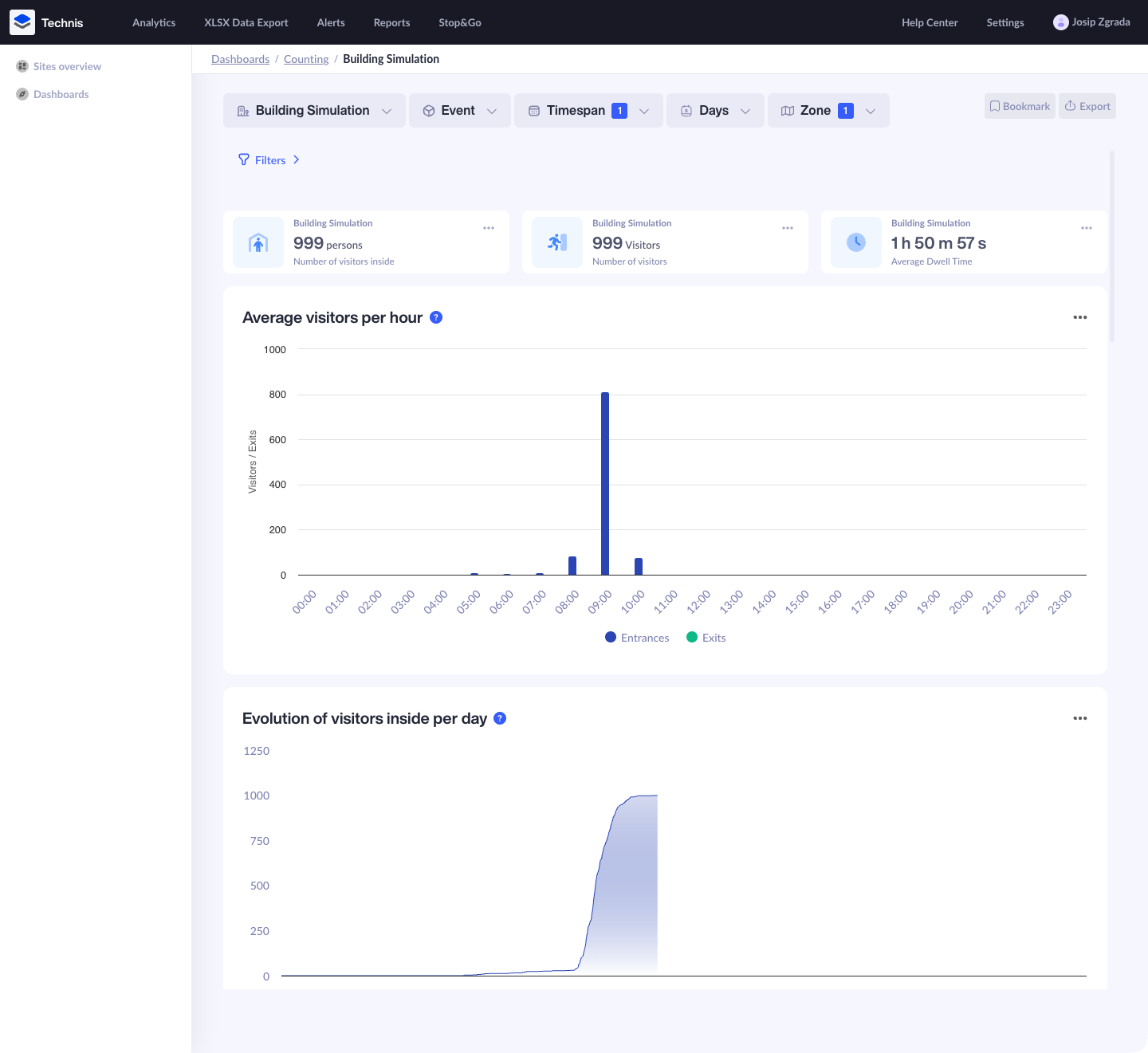
In version 2, the primary way to explore and view data of your sites was using either built-in dashboards or custom dashboards that were created for you by Technis team.
In version 3, Dashboards are being replaced by Reports. There is a built-in report provided for each site that gives you a quick overview of the footfall traffic at the site. To explore data in more detail, you can create custom reports with different metrics and layouts.
Your custom dashboards will be migrated automatically to version 3.
Exports
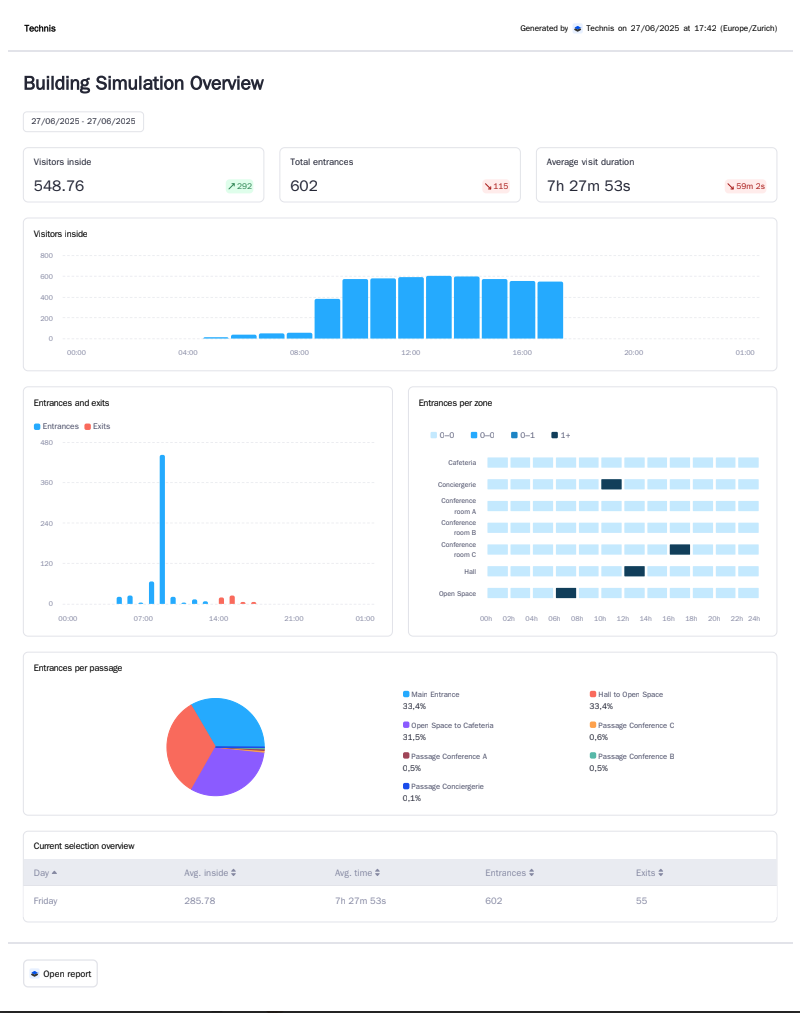
| PDF - Version 2 | PDF - Version 3 |
 |
 |
In version 2, you could extract data in three ways:
- Export individual charts of a Dashboard as a PNG or CSV file
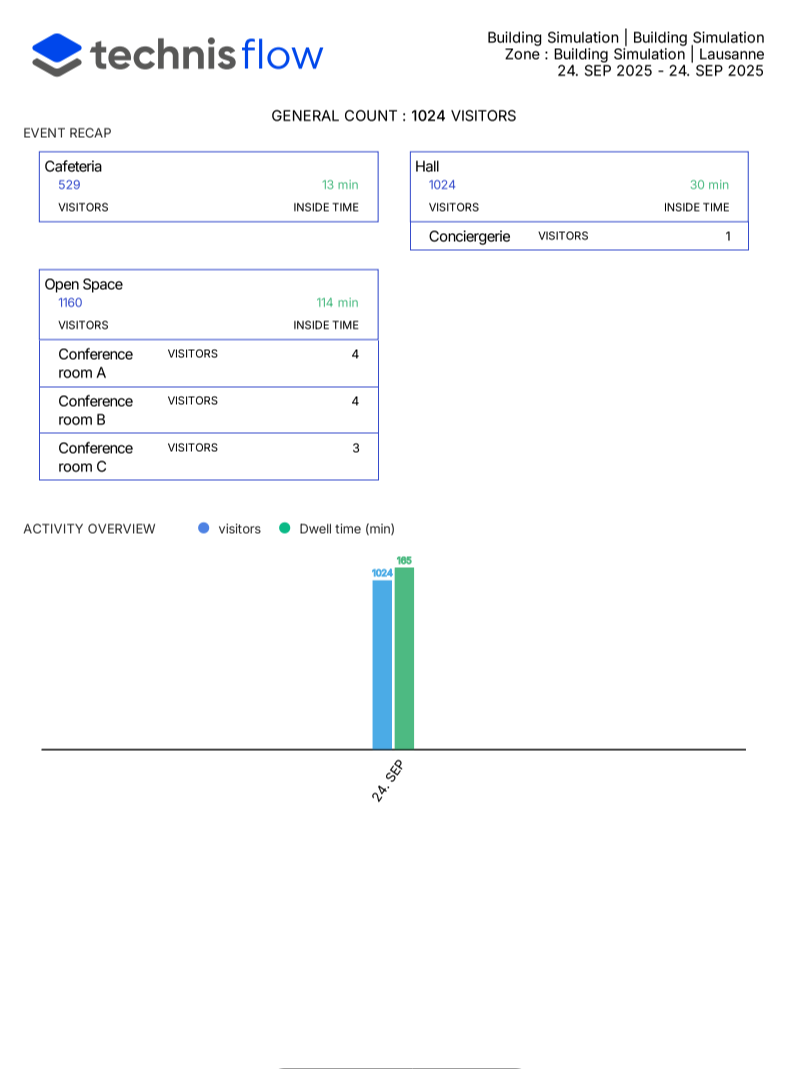
- Setup a "scheduled report" which would contain site data in a PDF format sent to your email inbox
- Download an "XLSX export" that contains detailed data about specific metrics
In version 3, we have unified the way you can extract the data. Each report, including custom ones, can be exported as a PDF or XLSX file. The exported file can be download on-demand or sent by email on a schedule.
Your scheduled exports will won't be migrated automatically to version 3.
Alerts
Version 3 includes several improvements over Alerts functionality in version 2. You can now:
- View a log of triggered alerts from the alerts dashboard
- Set an alert for any supported metric
- Have more control over conditions, for example, you can trigger an alert only if the value is less than a certain threshold
- Get device online&offline alerts for the whole site, not having to set up alerts for individual devices
Your existing alerts won't be migrated automatically to version 3.
Occupancy
| Version 2 | Version 3 |
 |
 |
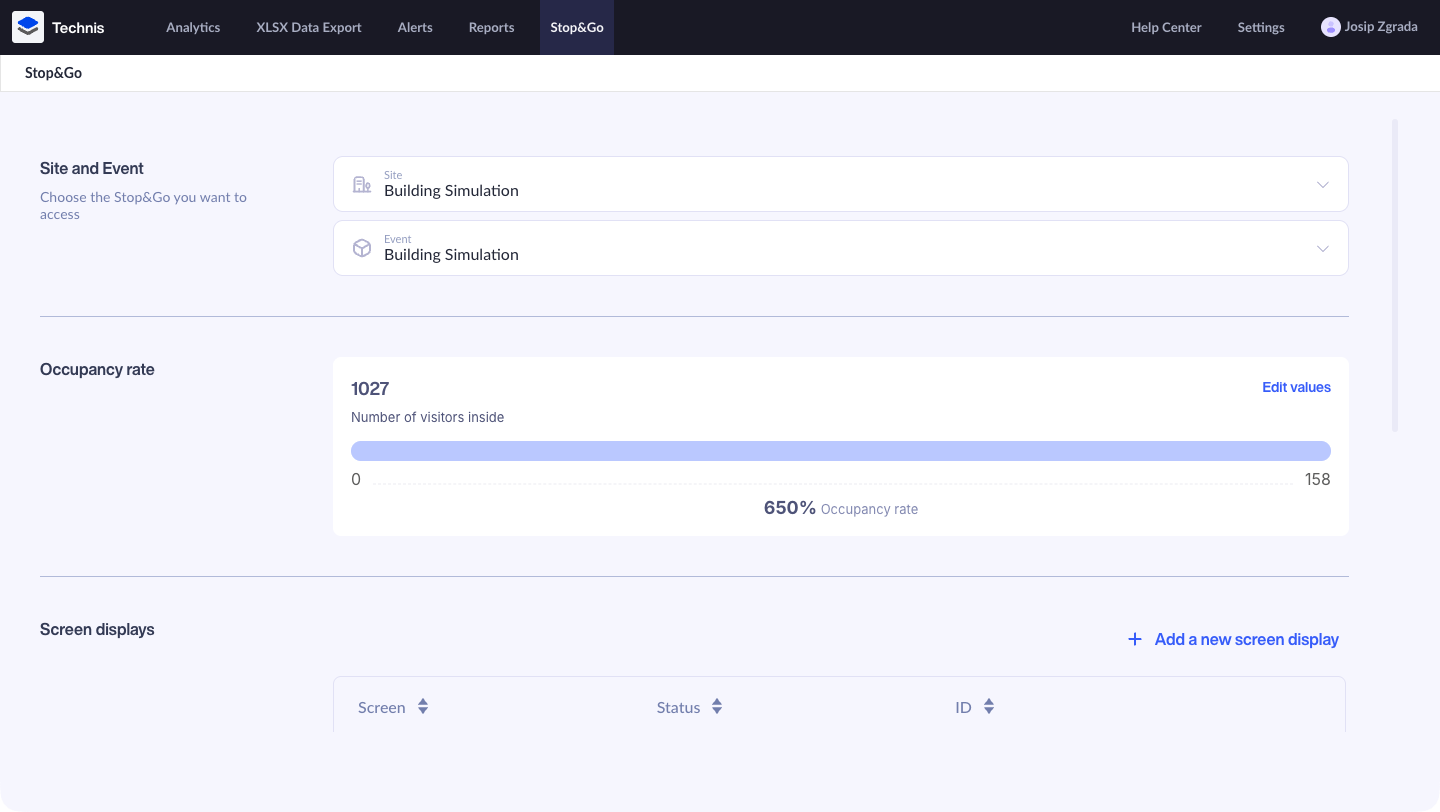
Version 2 allows you to set a capacity limit on a site level and manually override the number of people inside, in case of an issue.
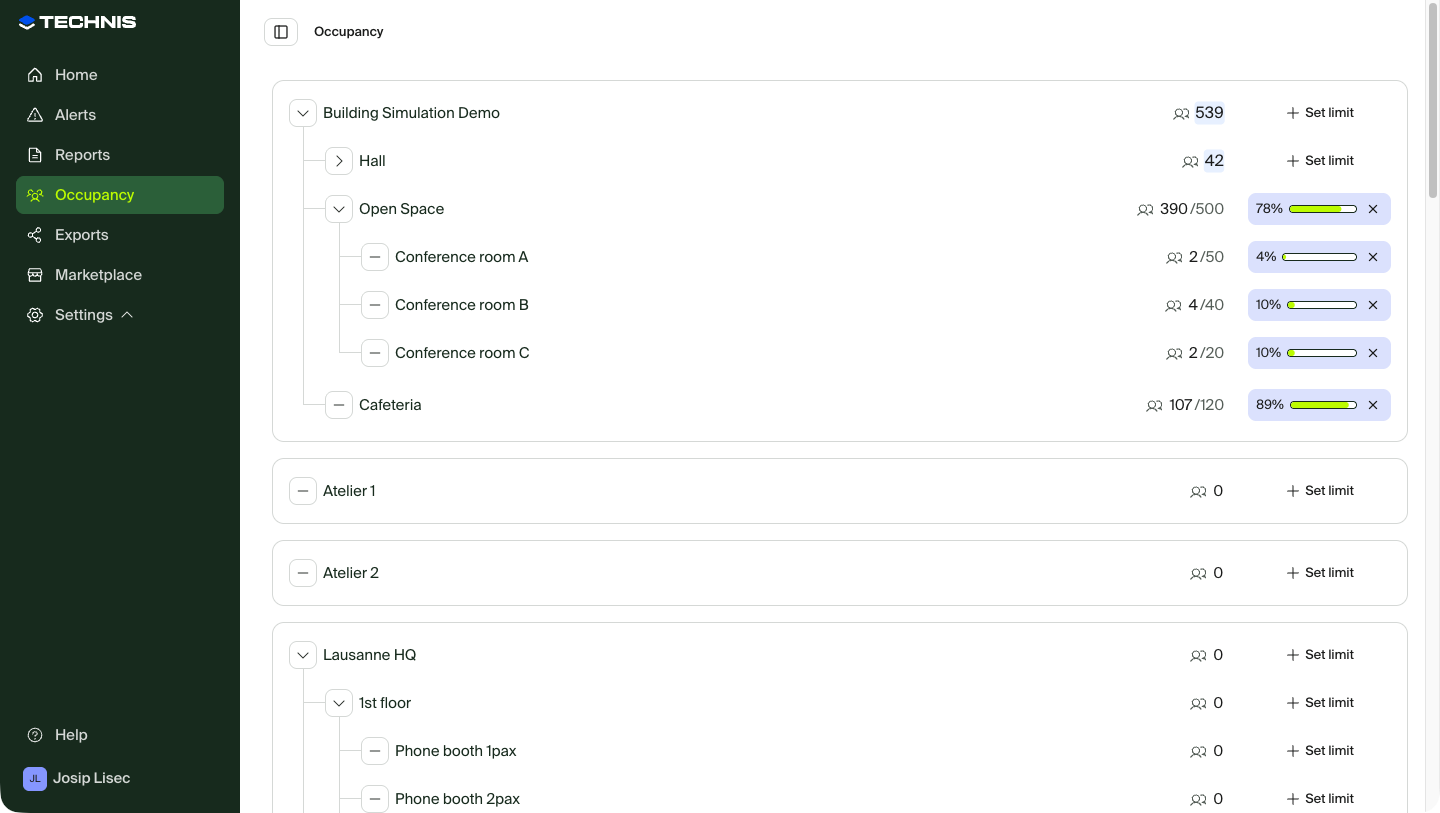
Version 3 introduces a new Occupancy dashboard from which you can monitor number of people inside or occupancy of any zone. Similarly to version 2, overrides can be made only at the top-level zone.
User management
You can now autonomously manage users within your organization:
- Invite other team members to share reports and alerts with them
- Choose between two different roles
- Limit access to certain sites
- Delete users after they leave your team
Sites and devices
In addition to users, you can now manage site and device details:
- Edit site details such as opening hours
- Update names of your zones and passages
- View installed devices and their status
Marketplace
You can now discover all of products, metrics and supported devices from Marketplace tab in your account.
Mobile app
| Version 2 | Version 3 |
 |
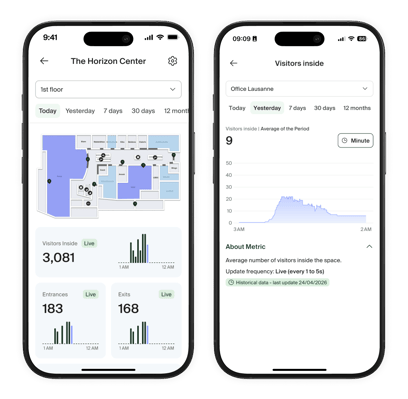 |
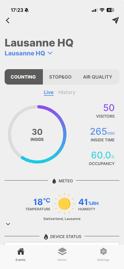
The new mobile app has updated design and while letting you get a quick overview of most important metrics - it lets you explore data deeper with various filters.
On top of data exploration, device configuration, notifications and improved manual counter are available as well.
To get the new version of the mobile app, you'll have to download it from the App Store and Play store. After downloaded, you can delete the old the app.


Following features are no longer supported:
-
Weather forecast
- Upload of images for Stop&Go (slideshow)
- Support for updating Wi-Fi configuration of Technis Mats
If you have a Technis mat or totem we recommend keeping both apps temporarily.
Glossary
| Version 2 | Version 3 |
| Sites overview | Home page |
| KPI | Metric |
| Dashboard, Analytics | Report |
| (Scheduled) Reports | PDF or XLSX exports; Scheduled exports |
| Stop & Go | Occupancy (management) |
| Number of/Total visitors | Total entrances |
| Dwell time | Time spent inside |
FAQ
How do I access version 3?
The latest version of the Technis platform is available at app.technis.com. You can use your existing credentials to login.
Until when can I use the version 2 available?
We're rolling out the new versions of the platform in a phased approach to different customers.
To learn until when your organization has access to version 2, please consult the email "Introducing new Technis platform" or contact our support team.
How do I know which version of the platform I'm using?
Desktop: You can identify the version of the Technis platform you are using based on the URL you are connecting to:
- Version 1: N/A
- Version 2: dashboard.technis.com
- Version 3: app.technis.com
Mobile: You can can identify the app version based on the app icon:
| Version 2 (old) | Version 3 (new) |
|
Technis Counting |
Technis |


Which credentials can I use to login into version 3?
You can use your existing credentials to log into the new version of the Technis platform.
In case you have forgotten your password, you can reset it from the login page.
Once you update your password in the new platform, this change will not be reflected in previous versions. You may continue to use older versions, but your passwords will differ between them.
How does the migration impact my data?
The migration to the new platform does not have any impact on your data or sensors. While we have rebuilt the new platform from the ground up to be easier to use, our data collection system remains the same.
Will my historical data still be present?
Your historical data will be automatically migrated and present in the new version.
Will be my alerts migrated automatically?
Your alerts setup in V2, won't be automatically migrated. You can manually re-create them during the migration period.
At the end of the migration period, your alerts in version 2 will be disabled.
Will my scheduled reports be migrated?
Your scheduled reports won't be migrated automatically. You can manually configure them during the migration period in the V3 platform.
At the end of the migration period, your scheduled PDF reports in V2 will be disabled.
Format and the contents of the reports slightly differs between two versions. You can setup a custom report that matches your needs better and schedule them instead.
I see a different values for the same metric between two platforms
When comparing values between different platforms ensure that:
- Both platforms use the same date/time range
- You have the same filtering options enabled
If you still see an issue, please contact our support team.
How can I view data only for a single zone?
Desktop: Built-in site overview report allows you to customize the timeframe at which you're looking at, however unlike version 2 it does not allow you to view data only for a specific zone.
To view data for a specific zone, you can create a new report and use filtering options to customize the charts of your report.
Mobile: Use the dropdown at the top of the screen to switch between zones of a site, or scroll down to the bottom of site screen to see quickly values of different zones and passages.
How can I view data only for specific days of the week over a time frame?
The option to view data only for specific days of week is no longer available.
How can I bookmark or pin different reports to my sidebar?
Navigate to a report you want to bookmark and click 📌 icon next to it's title. Additionally you can customize its icon as well.
Your existing bookmarks won't be migrated automatically.
Are all of my devices and sensors still supported?
Yes, the new platform supports all the same devices as the previous version.
Do I need to reinstall or reconfigure my devices?
There are no changes needed on your devices to continue working.
As a precaution, you may want to check our recommended network and firewall settings.
I see devices that are no longer installed at my site. What should I do?
Please contact our support team.
Some devices have unknown status, what does it mean?
Devices with unknown status have either never sent any data to the Technis platform yet. Please contact our support team if you see such entries.
I can't create reports or manage users
Creation of reports, user management and other features are enabled only for organization admins. If you're unsure who is the organization admin in your organization, please reach out to our support team.
How can I configure Stop&Go slideshow?
Slideshow feature of Stop&Go is no longer available in the V3. During the migration period you can continue using the V2.
Stop&Go visualization in Reports remains available to display Stop and Go messages based on a occupancy of a zone.
I have an issue, idea or feedback
You can share your ideas or feedback directly from the platform, click on Help > Share feedback in the sidebar.
For any urgent issues or questions that need you need answer on, please contact our support team instead.